Blog · Design
Designing BarbellFit for two screens
A foldable is not a small tablet. How the app behaves closed, open and in between.
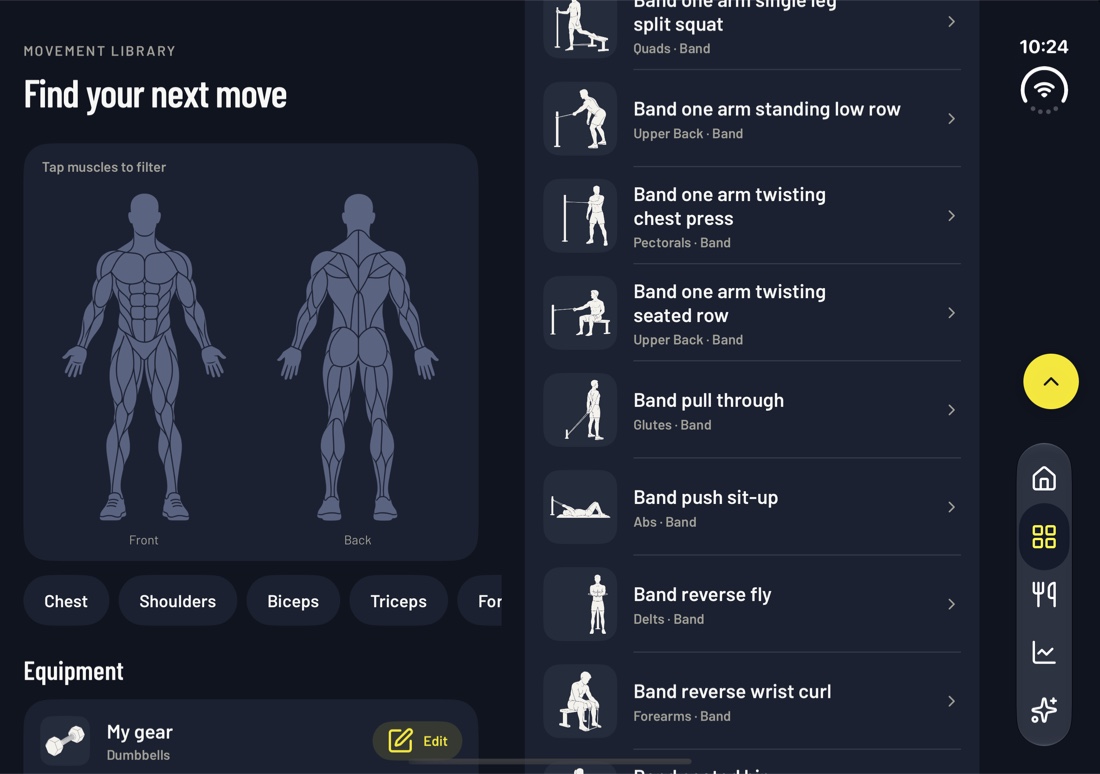
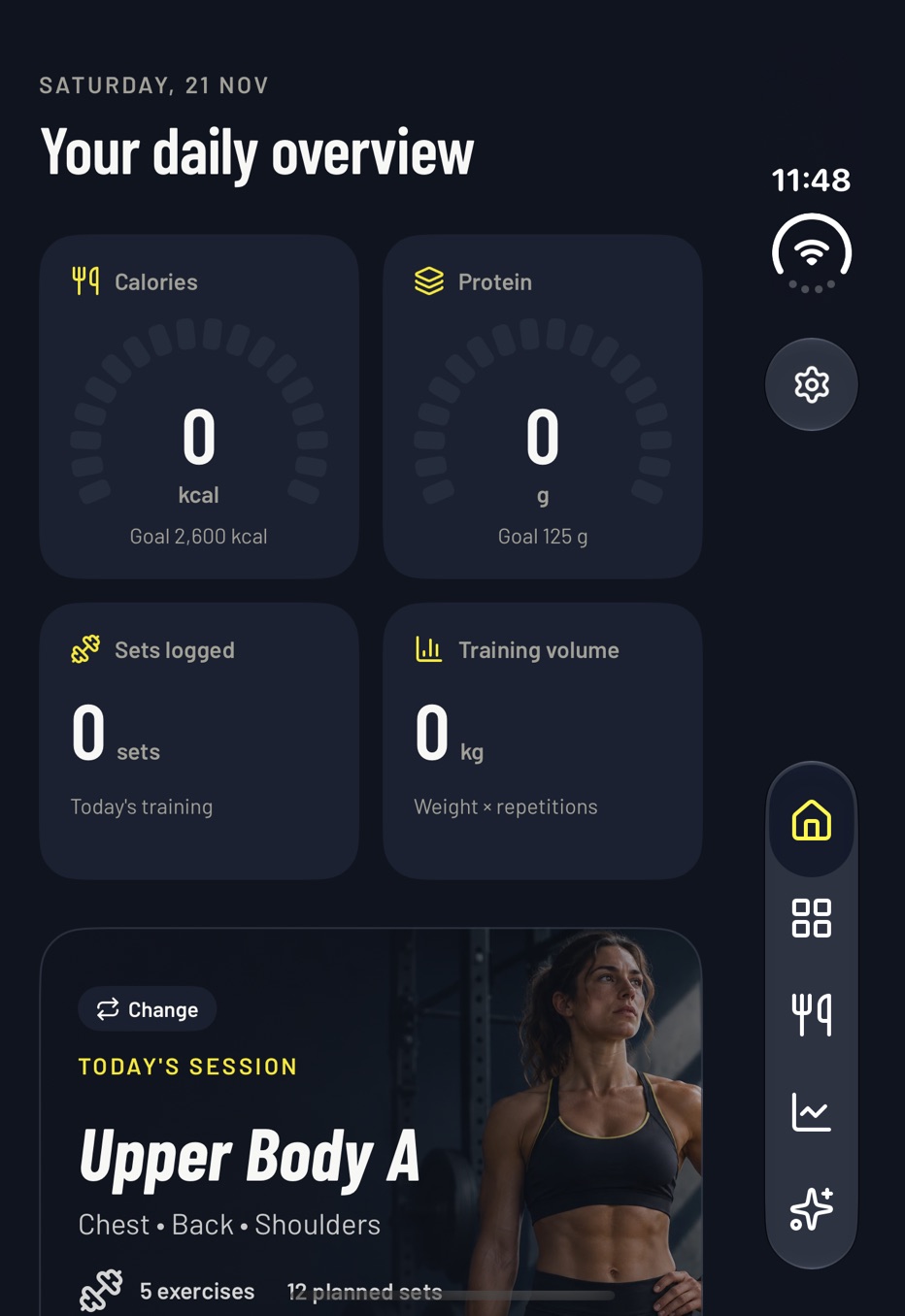
iPhone Duo has two displays: a cover screen you use when it is closed, and a larger screen inside. It would have been easy to treat the inner screen as a stretched phone layout. We did not want that, and we did not want two different apps either.
Closed: the whole app
The cover screen is a little shorter and wider than a regular iPhone. Every tab fits on it. You can start a workout, log a set or scan a barcode without opening the device, which matters when your other hand is holding a dumbbell.
Open: two columns
Unfolded, the screen is wide enough for two columns. In Explore, the muscle map and filters stay on the left while the movement list scrolls on the right, so choosing a muscle group and seeing the result happen in the same view.
Buttons belong to the system
On Duo, the system provides a vertical bar beside the clock. Tabs live there, and so do screen-level buttons such as Back, Close, Settings and Add. BarbellFit hands those buttons to the system as toolbar items instead of placing them by hand. They end up where people already look for them, and the content gets the full width of both columns.
Regular iPhones look the same as before
None of this changes the app on an iPhone without a fold. The layout adapts to the space it is given.